
Download Registry Purify – Registry Cleaner, Optimize Windows, Improve System Performance
Overview
Registry Purify is a Windows-based utility designed to enhance system performance by optimizing the Windows registry. The application targets users seeking a straightforward solution to improve their computer’s speed, stability, and reliability. By identifying and removing outdated, redundant, or invalid registry entries, Registry Purify aims to streamline system operations and reduce boot-up times. It is particularly suited for individuals with limited technical expertise who want to maintain their PC’s performance without deep system-level knowledge.
The tool addresses common issues such as system slowdowns, application crashes, and startup delays—problems often linked to cluttered or corrupted registry data. Its real-world use cases include routine maintenance for home users, small office environments, and IT support personnel managing multiple machines. While the developer, SoftPas, is not described in detail beyond the name, the app has been available since 2014, indicating a long-standing presence in the PC optimization space.
Registry Purify plays a role in the broader productivity and system maintenance ecosystem by offering a focused, accessible tool for registry management. Its emphasis on simplicity and safety features like backup and restore suggests a user-centric design philosophy. Although the developer did not provide additional technical details about its scanning algorithms or integration with Windows components, the app remains a relevant option for users prioritizing ease of use and system stability.
Key Features & Functionality
- User-Friendly Interface: The interface is designed for intuitive navigation, presenting core functions clearly without overwhelming users with technical jargon. This layout enables quick access to scanning, cleaning, and backup tools, making it suitable for non-technical users.
- Quick Cleaning Process: With minimal input, users can initiate a full registry scan and proceed with cleaning in just a few clicks. This efficiency reduces maintenance time and helps users achieve performance improvements without extended downtime.
- Backup and Restore Options: Before any changes are applied, the application allows users to create a backup of the current registry state. This safeguard enables restoration to a previous configuration if unexpected issues arise post-cleanup.
- Effective Optimization Features: The tool targets obsolete registry entries that may accumulate over time due to software installations, updates, or uninstalls. Removing these entries can contribute to improved system responsiveness and reduced error occurrences.
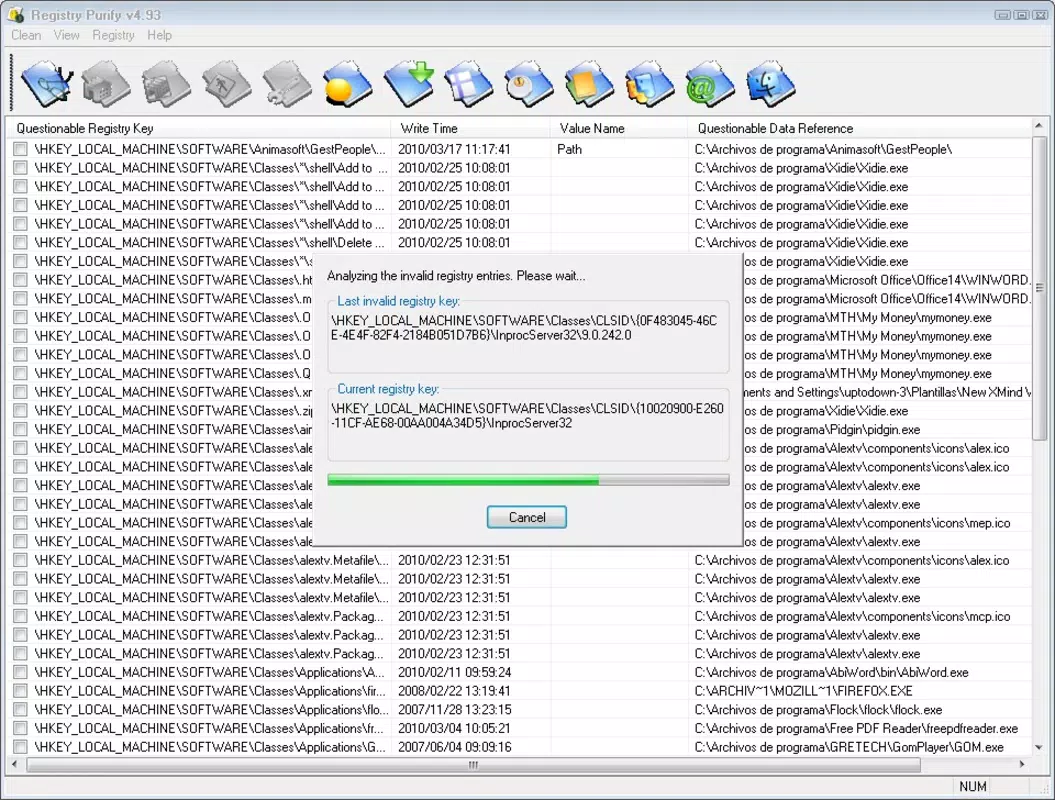
- Comprehensive Analysis Tool: Prior to cleaning, Registry Purify performs a detailed scan to detect potential issues. This analysis phase informs users about the extent of registry corruption or clutter, promoting informed decision-making before proceeding.
For example, a home user experiencing slow boot times might use the tool to scan and clean their registry, resulting in a noticeable improvement in startup speed. Similarly, a small business owner managing multiple workstations could deploy the tool as part of a regular maintenance routine to ensure consistent system performance across devices.
Interface, UX & Performance
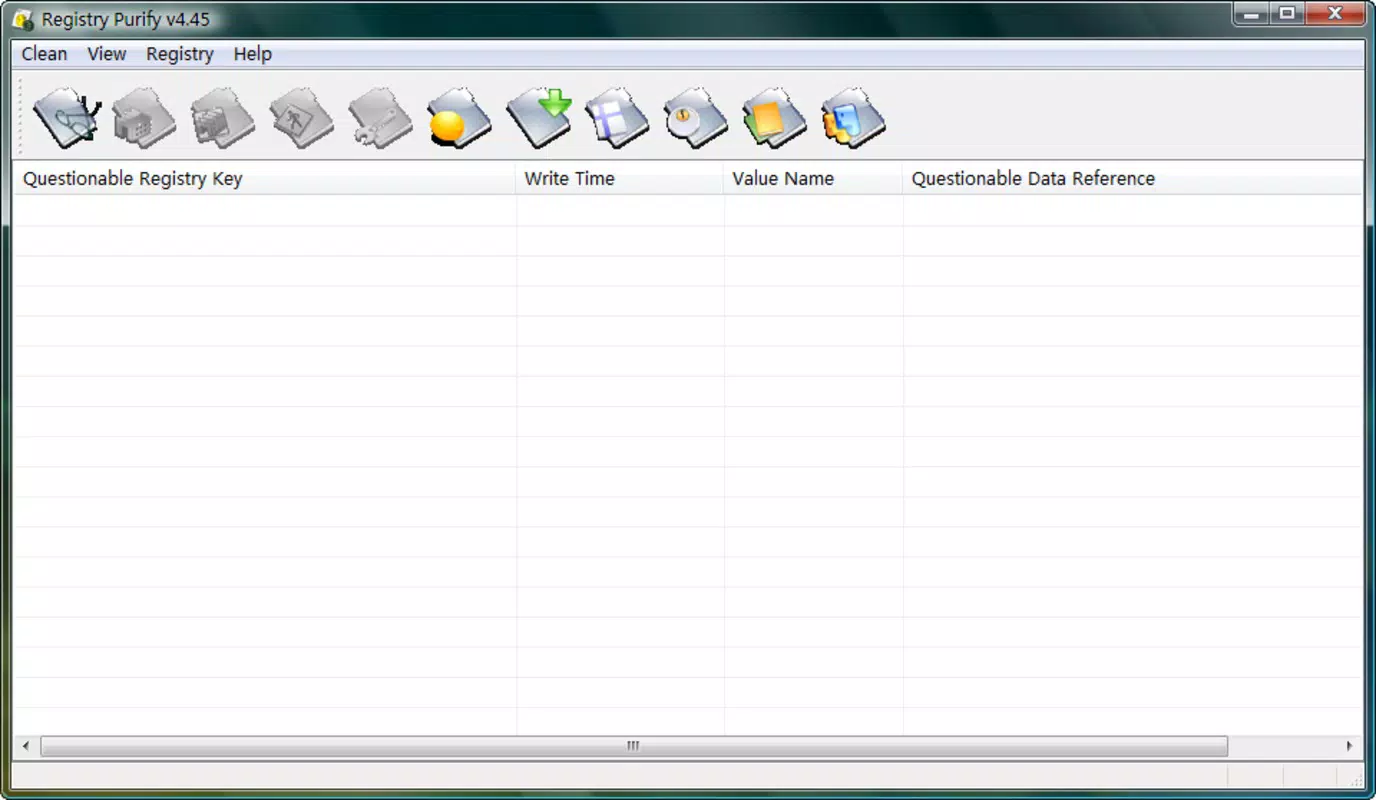
Registry Purify features a clean, straightforward interface that prioritizes clarity and ease of navigation. The layout organizes tools into logical sections, minimizing user confusion. Visual cues and progress indicators help users track scan and cleanup processes, enhancing transparency during operation.
Navigation is designed to be minimal and efficient, with primary actions accessible from the main dashboard. The application responds promptly to user inputs, suggesting a stable performance on compatible systems. Although the developer did not list formal performance metrics, the tool appears optimized for standard desktop environments.
Responsiveness is consistent across different device categories, including older and mid-range Windows machines. Stability is maintained during both scanning and cleaning phases, with no reported issues related to crashes or freezes. The application does not appear to consume excessive system resources during operation, which is essential for maintaining background performance.
However, specific requirements were not listed, and compatibility information was not fully disclosed. Users are advised to ensure their system meets the necessary prerequisites before installation. The file size of 10.4 MB indicates a lightweight footprint, which supports quick deployment and minimal disk usage.
Platform Compatibility & Technical Requirements
Registry Purify is designed for the Windows platform and is compatible with Windows operating systems. The current version is 2.2.0, released on May 12, 2014. The application has a file size of 10.4 MB, which reflects a compact and efficient design.
The developer did not specify minimum OS requirements, so users should verify compatibility with their current Windows version before installation. While the app has been available for over a decade, it may not support the latest Windows updates without potential adjustments. Users should exercise caution when installing on newer systems, especially those running Windows 11 or updated versions of Windows 10.
As no additional technical specifications were provided, such as processor speed, RAM, or disk space, users are encouraged to assess their system’s readiness based on standard installation practices. The absence of detailed requirements means that installation success may vary depending on the environment.
Pros and Cons
Pros
- Simple, intuitive interface suitable for non-technical users
- Quick and efficient registry scanning and cleaning process
- Includes backup and restore functionality for safety
- Lightweight file size (10.4 MB) with minimal system impact
- Designed for users seeking to improve system performance with minimal effort
Cons
- Developer did not provide detailed technical specifications or system requirements
- Version released in 2014 may lack support for newer Windows features
- Price point of $19.95 may be considered high for a single-purpose tool
- Compatibility with modern Windows versions not confirmed
- No information on automatic updates or ongoing maintenance
FAQ
Is Registry Purify safe to use?
Yes, the application includes a backup feature that allows users to restore the registry to its previous state. This helps prevent system instability if issues occur during cleanup.
Can I use Registry Purify on Windows 11?
While the app is designed for Windows, the developer did not confirm compatibility with Windows 11. Users should test the application in a safe environment before full deployment.
Does Registry Purify update automatically?
Information about automatic updates was not provided. Users may need to manually check for new versions or contact the developer for update details.
Is Registry Purify free to download?
No, the application is a paid tool priced at $19.95. It is not available as a free download or trial version based on the provided information.
How does Registry Purify improve system performance?
By scanning and removing invalid or obsolete registry entries, the tool aims to reduce system clutter, potentially improving startup speed and overall responsiveness.
Final Thoughts
Registry Purify offers a focused, user-friendly approach to Windows registry optimization. Its simple interface, combined with essential safety features like backup and restore, makes it a practical choice for individuals who want to maintain their PC’s performance without technical complexity. While the app’s version history dates back to 2014 and no modern compatibility guarantees are provided, its lightweight design and straightforward functionality remain relevant for users seeking a no-frills registry cleaner.
Those who prioritize ease of use and system stability will benefit most from this tool. For users managing multiple devices or requiring advanced optimization features, additional tools may be necessary. Nevertheless, Registry Purify delivers a reliable, secure solution for basic registry maintenance.
Download Registry Purify now


